UploadBlog – Publish, Share, and Grow Online
Turn your ideas into impactful content with UploadBlog. Whether you’re a blogger, entrepreneur, student, or digital creator, our platform makes it easy to publish articles, reach new audiences, and build your online presence without technical complexity.
Get Start
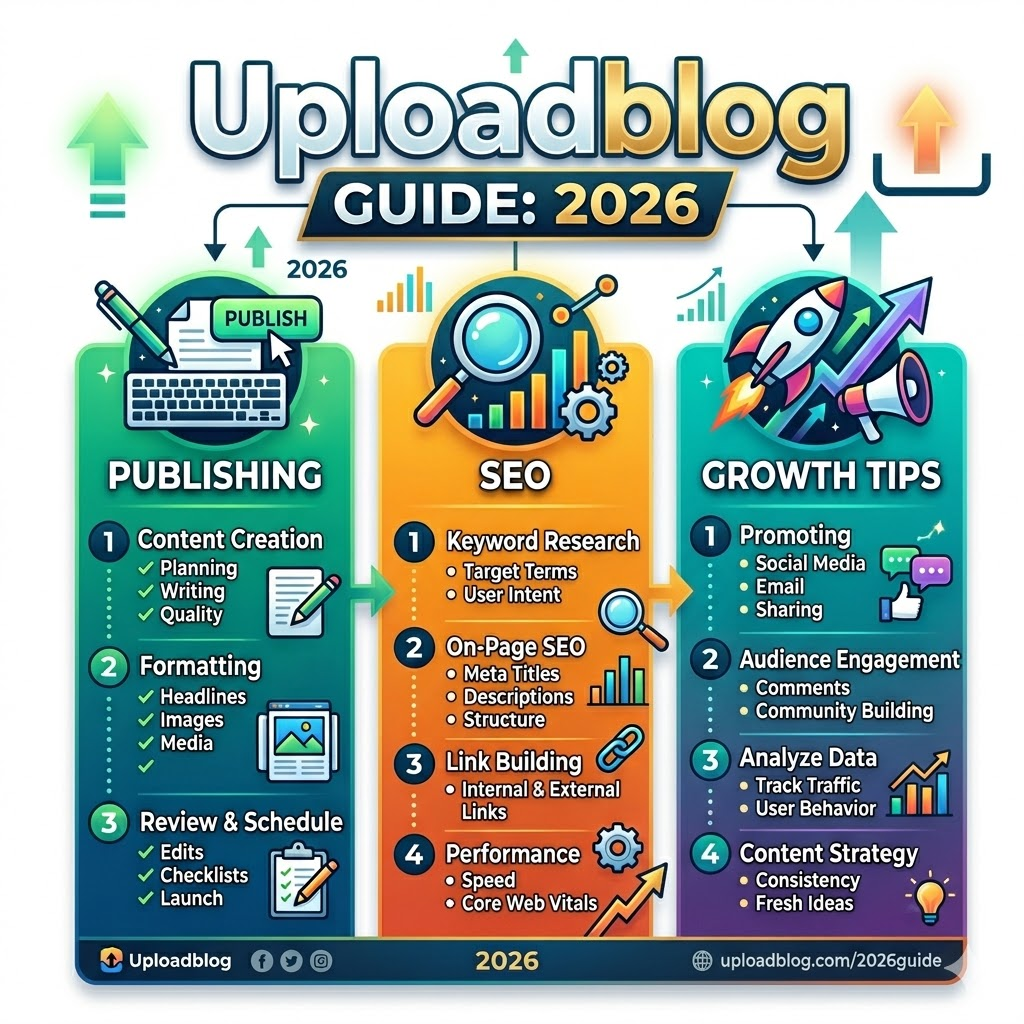
Uploadblog Guide
UploadBlog Complete Guide 2026: What It Is, How It Works, and Whether It’s Worth Your Time
This guide covers everything about UploadBlog — the online publishing platform that’s attracting beginners, freelancers, and content creators searching for a simpler way to publish content online — including how it actually works, its real SEO value, honest limitations, and how it compares to Medium, Blogspot, and WordPress in 2026.
If you’ve seen the name “UploadBlog” appearing in search results and wondered whether it’s worth your time, this is the most complete, honest breakdown you’ll find. No vague generalities. No promotional fluff. Just a thorough, experience-informed guide that answers every real question — including the ones most articles refuse to touch.
Get startedDefinition
What Is UploadBlog? A Clear, Honest Definition
UploadBlog is an online content publishing platform where writers, bloggers, freelancers, students, and small business owners can create an account, write articles, and publish them live on the internet — without needing to buy hosting, configure a domain, write a single line of code, or install any software.
At its simplest, UploadBlog works as a straightforward online writing space where anyone can create an account, write an article, and publish it in minutes. The process begins at the homepage where new users can complete the free sign up. Once registered, they gain access to a simple editor where they can write, add images or documents, and organize their post using intuitive categories. The service handles hosting, formatting, and layout automatically.
That description sounds almost too simple — and that’s intentional. The platform is explicitly designed to remove every technical barrier between a person and their first published blog post. No complicated dashboard with 40 settings. No theme customization rabbit hole. No plugin conflicts. You sign in, you write, you publish.
Get started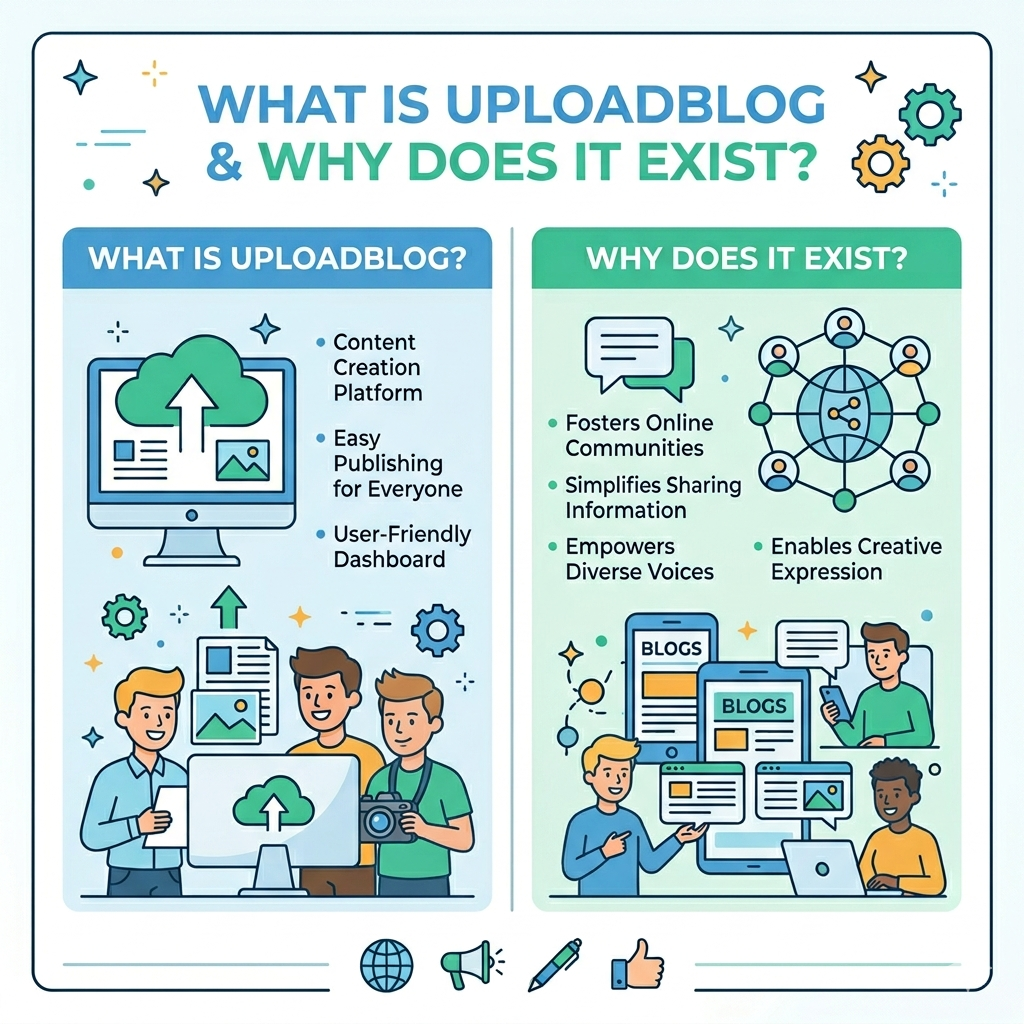
The Core Purpose of the Platform
The core purpose is accessibility. Platforms like UploadBlog essentially remove the noise and let users focus on writing. That alone can improve productivity and consistency in content creation.
In a world where setting up a WordPress site still requires choosing a host, installing WordPress, picking a theme, configuring plugins for SEO, speed, and security, and then finally writing — UploadBlog cuts all of that. The tradeoff, as we’ll cover honestly later, is control. You gain speed and simplicity; you give up customization and ownership.
Understanding that tradeoff is the key to deciding whether UploadBlog is right for you. Most other articles gloss over this entirely. This one won’t.
Who Uses UploadBlog?
UploadBlog serves a diverse range of users, though it performs best for specific groups:
- Students who need to share research, essays, or projects online without building a site
- Beginner bloggers who want to test writing consistently before committing to a self-hosted platform
- Freelance writers who need a live portfolio link to share with clients immediately
- Small business owners who want to publish content for visibility without hiring a developer
- Digital marketers who use it as a supplementary content distribution channel
- SEO practitioners who publish on multiple platforms to expand their content footprint
New creators often feel overwhelmed by technical setup. UploadBlog avoids this. No hosting knowledge, domain setup, or design skills required. The editor is intuitive and clear.
That said, there are real categories of users for whom UploadBlog is genuinely the wrong tool — a section most articles skip. We’ll cover exactly who should NOT use this platform in the limitations section.
How UploadBlog Works — Step by Step
Unlike competitors who describe UploadBlog’s workflow in vague, hedged language, here is a precise, step-by-step walkthrough of what actually happens from landing on the site to having a live published post.
Step 1: Creating Your Account
The signup process is free and requires only basic information. You visit UploadBlog.com, click the “Register” or “Sign Up” button, enter your name, email, and password, then verify your email address through your inbox. The whole process takes under three minutes.
Once verified, you’re logged into your account and land on the dashboard. There’s no payment wall for basic publishing functionality. The free plan is genuine — not a bait-and-switch trial.
Step 2: Navigating the Dashboard
Once you log in, the UploadBlog dashboard becomes your headquarters. The screen splits into obvious sections: posts, drafts, categories, and profile tweaks.
Here’s what each area does:
| Dashboard Section | What It Does |
|---|---|
| Posts | View, edit, and manage all published articles |
| Drafts | Save work in progress before publishing |
| Create New Post | Opens the editor to start a new article |
| Categories | Assign your content to a topic area (tech, health, business, lifestyle, etc.) |
| Media | Upload and manage images for your posts |
| Profile/Settings | Edit your author bio, display name, and account details |
The best first action after logging in is to check settings and your profile before publishing — setting up your author bio and profile details adds credibility to every article you publish and contributes to E-E-A-T signals that help search engines trust your content.
Step 3: Writing and Formatting a Post
Go to the content creation area, select the option labeled “new post” or “create blog” — this opens the editor. In the editor, enter your blog title in the designated title field. It must be clear and compelling as it’s the first thing that readers and search engines notice. Use the editor to write your content or paste pre-written content. Make use of editor features such as bold, italics, or underline to improve readability. Format your content properly by breaking long paragraphs into bullet points, adding clear headings and subheadings (H2s and H3s).
The editor is a visual (WYSIWYG) interface, meaning what you see while writing reflects what readers will see once published. There’s no need to understand HTML to format an article well, though experienced writers who know basic formatting will find it intuitive.
Step 4: Adding Images, Videos, and Multimedia
UploadBlog supports multimedia content — you can add images, videos, and documents to make your content engaging. The media upload section lets you insert visuals directly into the post body, not just as a featured image.
UploadBlog supports video uploads including MP4 and AVI formats. For a free platform, this multimedia capability is notably generous compared to entry-level alternatives like plain Blogspot, which restricts file types more heavily.
Step 5: SEO Elements Before Publishing
Before hitting publish, the platform gives you the option to add SEO elements. Add SEO elements such as a meta title, meta description, keywords, and tags. These fields appear in the post settings panel, typically on the right side of the editor.
This is where UploadBlog’s built-in SEO tools become practically useful. A beginner who would otherwise publish an article with no meta description gets prompted to fill one in. That small friction, done consistently, meaningfully improves how search engines read and categorize the content.
Step 6: Publishing and Distributing Your Content
Once the content is ready, users can publish it instantly. Published posts are made accessible through the platform’s network or public listing pages. In some cases, content may also be indexed by search engines.
After publishing, the article gets a live URL. Articles in the right category get eyes. Articles thrown into the wrong bucket vanish. The platform organizes its content into clear buckets: technology, health, business, travel, lifestyle, and more.
Post-publishing, your primary distribution levers are: sharing the URL on social media, embedding the link in your main website, using the post URL in your freelance portfolio, or including it in email newsletters.
UploadBlog Features — What You Actually Get
Most articles list UploadBlog’s features as a bullet dump without explaining what each actually does for your workflow. Here’s a grounded breakdown.
Built-in SEO Tools
UploadBlog’s SEO tools help your blogs rank higher on search engines by adding keywords, meta descriptions, and tags.
In practice, this means:
- Meta title field — customizable, separate from the post title
- Meta description field — up to 160 characters, shown in Google search snippets
- Tags — topic-level keywords that help content organization
- Category assignment — broad subject classification that also affects discoverability within the platform
What UploadBlog does NOT offer (which competitors never mention): canonical URL control, custom robots.txt instructions, XML sitemap access, structured data/schema markup management, or Core Web Vitals optimization tools. Those are the features that separate a basic SEO setup from a serious one.
For beginner content creators, the built-in tools are sufficient to publish well-structured content. For serious SEO practitioners, they represent a ceiling that will eventually become frustrating.
Multimedia Support
UploadBlog supports video uploads like MP4 and AVI. It provides meta tags, keywords, and analytics features. Beyond video, images in standard formats (JPG, PNG, GIF, WebP) can be embedded directly into post bodies.
This puts UploadBlog ahead of stripped-down platforms that treat media uploads as a premium feature. For most bloggers, being able to add a header image, embedded video, and supporting visuals to a free post is genuinely useful.
Content Organization with Categories and Tags
Content Organization allows you to use categories and tags to organize posts for easy navigation.
The category system is the platform’s main internal discovery mechanism. Readers browsing the platform can filter by category to find content in their area of interest. For writers, getting your category assignment right is not a cosmetic choice — articles in the right category get eyes, while articles thrown into the wrong bucket vanish.
A practical approach to category selection: ask whether a reader who just finished another post in that category would logically want to read yours next. If yes, you’re in the right place.
Mobile-Friendly Interface and Responsive Design
With increasing mobile usage, UploadBlog.com ensures that both readers and writers enjoy a seamless mobile experience.
This is increasingly non-negotiable. Google uses mobile-first indexing, which means it primarily uses the mobile version of content for ranking. A platform that renders poorly on phones effectively handicaps every article you publish, regardless of quality. UploadBlog’s responsive design ensures that published posts display correctly across screen sizes without requiring any configuration from the writer.
Analytics and Performance Tracking
UploadBlog provides meta tags, keywords, and analytics features. Basic analytics include post view counts and engagement indicators. These are entry-level metrics — enough to know whether a specific article is being read, but not sufficient for deep audience analysis.
For granular traffic data (source breakdown, time-on-page, scroll depth, conversion tracking), you would need to integrate a third-party tool, which UploadBlog’s limited customization may or may not accommodate depending on your account type.
Real SEO Value of Publishing on UploadBlog
This is the question every savvy user actually wants answered, and the one no competitor article addresses honestly. Let’s break it down from first principles.
Does Content on UploadBlog Rank on Google?
Yes — with important caveats. Content published on UploadBlog can and does get indexed by Google. Content published on the platform is designed to be discovered quickly by search engines, with fast indexing as a strong feature.
However, ranking is a different matter from indexing. A post being indexed means Google knows it exists. A post ranking means Google displays it on page one. The factors that determine ranking — topical authority, backlink profile, content depth, page experience signals, E-E-A-T — are only partially within your control on a shared platform like UploadBlog.
For low-competition keywords (long-tail, niche-specific, with weak existing results), content published on UploadBlog has a realistic path to ranking. For highly competitive keywords, you’re competing against established domains with years of authority — and a subdomain on a third-party platform is rarely the right weapon for that fight.
Domain Authority and Indexing Speed
Domain Authority (DA) is a metric developed by Moz that predicts how well a website will rank in search results. It’s scored from 0–100. Higher DA platforms push your content in front of search engines more quickly and with more initial credibility than publishing on a brand-new personal website.
Well-known publishing platforms already have high domain authority, which means content published on them is trusted and indexed quickly by Google. The faster indexing benefit is real and measurable — new posts on established platforms often appear in Google’s index within hours, compared to days or weeks for new personal websites.
UploadBlog’s exact DA varies and should be verified with current tools like Moz, Ahrefs, or SEMrush before making strategic decisions about publishing on it. The principle, however, holds: hosting your content on an established platform gives a new post an initial indexing advantage over publishing on a brand new domain.
Can You Build Backlinks Through UploadBlog?
This is the use case most articles completely ignore. UploadBlog can function as a link building tool — specifically as a platform for publishing content that includes links back to your main website.
Dofollow backlinks pass authority to your site. Brand visibility increases when your business appears in front of a new audience. Publishing on established sites builds trust and increases brand authority. The key is to choose niche-relevant, high-authority websites to maximize SEO benefits.
The critical question for link building purposes is whether UploadBlog links are dofollow or nofollow. Dofollow links pass SEO value (called “link juice”) to your destination site. Nofollow links do not pass ranking power, though they can still drive referral traffic.
Backlinks remain one of Google’s strongest ranking signals in 2026. Quality outweighs quantity. A few contextual links from relevant, authoritative websites will outperform dozens of low-quality placements. Relevance is non-negotiable — links from websites within your niche carry significantly more weight than generic placements on unrelated domains.
For the link building use case to work on UploadBlog, you need to: publish genuinely useful, original content (not thin articles), include contextual links to your main site naturally within the content, and publish consistently in the correct category to build platform authority over time.
E-E-A-T Signals and Content Credibility
Google’s E-E-A-T framework — Experience, Expertise, Authoritativeness, and Trustworthiness — is the quality lens through which content is evaluated, regardless of where it’s published. Publishing genuinely original, expert-level content on high-DA platforms earns credible backlinks, builds topical authority, and sends positive E-E-A-T signals to Google. What no longer works is submitting thin, duplicate, or AI-spun content across dozens of low-quality directories.
On UploadBlog, your E-E-A-T signals are strengthened by: a fully completed author profile, consistent publishing in one category or niche, content that demonstrates real-world experience, and appropriate linking to credible external sources.
The platform itself cannot manufacture E-E-A-T for you. It provides the structure; you provide the substance.
UploadBlog vs Competitors — Side-by-Side Comparison
No article currently ranking for “uploadblog” includes a proper comparison table. This is the most requested piece of information from users making a platform decision, and it’s completely absent from every competitor. Here it is.
| Feature | UploadBlog | Medium | Blogspot | WordPress.org | Substack |
|---|---|---|---|---|---|
| Cost to Start | Free | Free | Free | ~$3–10/mo (hosting) | Free |
| Custom Domain | Limited | Paid plan only | Yes (point custom domain) | Yes (full control) | Yes |
| SEO Control | Basic (meta, tags) | Very limited | Limited | Full (plugins, schema) | Limited |
| Content Ownership | Platform-hosted | Platform-hosted | Google-controlled | Fully yours | Yours |
| No Coding Required | ✅ Yes | ✅ Yes | ✅ Yes | ⚠️ Minimal setup | ✅ Yes |
| Monetization | Limited | Partner Program | Google AdSense | Full flexibility | Subscriptions |
| Built-in Audience | No | Yes (large) | No | No | Growing |
| Video Upload | ✅ Yes (MP4, AVI) | ❌ Embed only | ❌ Embed only | ✅ Yes (with plugin) | ❌ No |
| Analytics | Basic | Basic | Google Analytics | Advanced (via plugin) | Built-in (email) |
| Best For | Quick publishing, portfolios | Writers, thought leaders | Hobbyists | Serious, long-term bloggers | Newsletter creators |
UploadBlog vs Medium
The key trade-off between UploadBlog and Medium is this: Medium is a writing platform with built-in readers and distribution, while UploadBlog is a platform-style publishing option that may feel simpler depending on your workflow.
Medium’s built-in audience is its most significant advantage. When you publish on Medium, your article can surface to Medium’s millions of existing readers through their recommendation algorithm — without you doing any promotion. UploadBlog does not have this distribution engine. Traffic to your UploadBlog posts comes entirely from search engines, social sharing, or direct links.
On the other hand, Medium’s SEO limitations are real. Medium gives access only to contacts via Medium accounts, limiting interaction compared to platforms where you own your subscriber data. Medium has also increasingly placed content behind its paywall for non-subscribers, which can limit organic reach.
Verdict: Choose Medium if audience discovery matters more than SEO control. Choose UploadBlog if you want simpler publishing without Medium’s paywall complications.
UploadBlog vs WordPress
This is the most important comparison for anyone thinking about long-term content strategy. WordPress.org has an overall rating of 4.9/5 for long-term growth and full control, starting at approximately $3/month for hosting.
WordPress gives you everything UploadBlog doesn’t: full SEO plugin control (Yoast, Rank Math), custom domain authority building, complete content ownership, monetization flexibility (ads, affiliates, digital products, memberships), and unlimited customization. The tradeoff is setup time and ongoing technical maintenance.
For professional bloggers aiming to build long-term branded websites, UploadBlog may eventually become restrictive. If your goal is quick publishing and easy content sharing, UploadBlog can be a practical starting point. However, if you’re building a long-term authority website or business blog, a self-hosted solution might offer more control.
Verdict: UploadBlog is a legitimate starting point or supplementary channel. WordPress is the better choice for anyone building a content business with long-term SEO as a core strategy.
UploadBlog vs Blogspot
UploadBlog vs Blogger is mainly a choice between two simple ways to publish: Blogger is free and basic, while UploadBlog may offer a cleaner workflow depending on the platform.
Blogspot (Google’s Blogger platform) has one meaningful advantage: it’s part of the Google ecosystem, which theoretically means tight integration with Google services like Analytics and AdSense. However, using a default Blogspot subdomain makes it a little more challenging for Google to crawl your content, which can have a negative impact on your search engine rankings.
UploadBlog offers a more modern editor and a potentially cleaner publishing experience than Blogspot, which has not received significant updates in years and feels dated compared to current publishing tools.
Verdict: UploadBlog edges out Blogspot for user experience and modern publishing workflow. Neither is ideal for serious SEO; both serve the quick, free publishing use case.
Who Should Use UploadBlog? (And Who Shouldn’t)
Being specific about this is something no competitor article does. Most simply say “it’s great for beginners” and move on. Let’s be more useful.
Best Use Cases for UploadBlog
1. Beginner bloggers testing content ideas Before investing money in hosting and a domain, publishing on UploadBlog lets you validate whether you’ll actually write consistently. Many people set up a WordPress site, pay for a year of hosting, and abandon it after three posts. UploadBlog removes the financial risk from that experiment.
2. Freelance writers building a live portfolio A freelance writer who needs to publish articles quickly for different clients can, instead of building separate websites or dealing with hosting issues, simply log into UploadBlog, write the article, and publish it instantly. Within minutes, the content is live and accessible. The writer can then share the link with clients or use it in their portfolio.
3. Students and academics sharing written work No domain purchase, no hosting setup, no maintenance — just a clean URL that can be shared with professors, classmates, or included in a CV.
4. Digital marketers expanding content distribution Using UploadBlog as a secondary publishing channel alongside your main website extends your content’s reach. A post on your main site plus a related (not duplicate) post on UploadBlog creates multiple touchpoints in search results for related queries.
5. Small businesses testing content marketing Before hiring a content agency or investing in a blog section on your company website, publishing a few posts on UploadBlog can help you understand what topics resonate with your audience, what writing style works, and what questions your customers are actually searching for.
When to Choose a Self-Hosted Platform Instead
You should bypass UploadBlog entirely and invest in a self-hosted WordPress or similar platform if:
- Long-term SEO is your primary goal. You need full control over technical SEO, canonical URLs, site speed optimization, and schema markup.
- Monetization is a near-term priority. Display advertising, affiliate marketing, digital product sales, and membership programs all require the flexibility that only owning your platform provides.
- Brand authority matters. A post at
yourname.uploadblog.comor a subdirectory URL signals less authority thanyoursite.comto both readers and search engines. - You need to own your audience data. Email subscriber lists, reader analytics, and behavioral data collected on a third-party platform belong to that platform, not you.
- You’re building a content business. Scale, hiring writers, managing editors, integrating CRMs, and building content systems all require infrastructure that UploadBlog doesn’t provide.
Limitations
UploadBlog Limitations — The Honest Truth
This is the section every other article avoids or drastically minimizes. Understanding these limitations isn’t negativity — it’s the information you need to make a smart decision.
RegisterContent Ownership Concerns
This is the most important limitation and the one most completely absent from competitor coverage. When you publish on UploadBlog, your content lives on UploadBlog’s servers, under UploadBlog’s infrastructure, subject to UploadBlog’s terms of service.
If the platform shuts down, changes its terms, removes your account, or gets acquired and pivots its business model — your published content could disappear, become inaccessible, or be used in ways you didn’t anticipate. WordPress offers complete ownership and control over content, which means if the platform shuts down, your content remains yours.
This is not a hypothetical risk. Dozens of blogging platforms that once had active user bases — Posterous, Xanga, Google+, Tumblr’s various content policy changes — have either shut down or changed so dramatically that users lost years of work. The safest practice when using any third-party publishing platform is to always maintain a copy of your content locally or in a document management system.
Customization Restrictions
When people search UploadBlog features, they usually want to know one thing: what can the platform actually do — and what can’t it do compared to owning a website?
The honest answer on customization: significantly less. You cannot change your URL structure, install custom fonts, modify the site’s CSS, add custom JavaScript, integrate third-party tools beyond what the platform natively supports, or adjust page layout templates. What you see is what you get — and for beginners, that constraint is actually freeing. For growth-stage content creators, it becomes a ceiling.
Monetization Limits
UploadBlog’s limitations include that premium plans can be expensive for some, and the platform offers less advanced monetization than a full WordPress setup.
The free plan’s monetization options are minimal. Unlike Medium’s Partner Program (which pays writers based on member reading time) or a self-hosted blog with affiliate links, display ads, and digital product integrations, UploadBlog’s monetization path requires either a paid plan or relying on driving traffic off-platform to where you actually earn.
If you’re publishing on UploadBlog primarily to generate income directly from the platform, recalibrate your expectations. The platform is better positioned as a traffic source or portfolio tool than a direct revenue generator.
Long-Term SEO Ceiling
Every article published on UploadBlog contributes to UploadBlog’s domain authority — not yours. When your content ranks and earns backlinks, those backlinks point to UploadBlog’s domain. When you eventually move to your own platform (and serious bloggers almost always do), you start building domain authority from scratch.
This is not a reason to avoid UploadBlog. It’s a reason to understand what you’re building when you use it. You’re building skills, an audience, and content momentum — not a long-term SEO asset that you own.
For most serious projects, WordPress is the strongest long-term option. If you want the simplest publishing experience, Medium can be great. The best alternative to UploadBlog depends on what you are building.
Why Choose Us
Experience
Massa curae fringilla porttitor quam sollicitudin iaculis aptent leo ligula euismod dictumst orci penatibus mauris eros etiam.
Reliability
Massa curae fringilla porttitor quam sollicitudin iaculis aptent leo ligula euismod dictumst orci penatibus mauris eros etiam.
Security
Massa curae fringilla porttitor quam sollicitudin iaculis aptent leo ligula euismod dictumst orci penatibus mauris eros etiam.
How to Get the Most Out of UploadBlog
Used strategically, UploadBlog delivers real value. Here’s how to maximize it.
Keyword Optimization Tips for UploadBlog Posts
SEO in 2026 focuses on meaning, not repetition. Avoid forcing the keyword into every paragraph. Use related words to build topical relevance without keyword stuffing.
For UploadBlog specifically:
- Target long-tail keywords (3–5 word phrases with specific intent) rather than broad competitive terms. A post titled “How to Write a Tech Review as a Beginner” has a far better chance of ranking than “tech blog.”
- Place your primary keyword in the post title, the first paragraph, at least one H2 heading, the meta title, and the meta description.
- Use the tags field to include 3–5 related keywords that reflect the post’s supporting topics.
- Write for search intent first. Understand what the user searching your target keyword actually wants to find — an answer, a comparison, a how-to guide — and build the post around delivering that.
How to Format Posts for Maximum Readability
Format your content properly by breaking long paragraphs into bullet points, adding clear headings and subheadings (H2s and H3s). Add tables and CTAs to make it look structured and easy to understand.
Additional formatting principles that increase time-on-page (a positive ranking signal):
- Keep paragraphs to 3–4 sentences maximum
- Use H2 headings every 300–400 words to create visual breathing room
- Bold the first sentence of important paragraphs to guide skim readers
- Use numbered lists for sequential steps and bullet lists for non-sequential information
- Include a summary or key takeaway section at the end of long posts
Using UploadBlog as Part of a Content Marketing Strategy
UploadBlog content marketing is not about quick wins but sustainable growth. With persistence, it can deliver consistent traffic and long-term benefits. The best-performing content is usually informative, engaging, and well-structured. How-to guides, tutorials, and list-based articles tend to attract more readers because they provide clear value. Content that solves a problem or answers common questions is particularly effective.
In a broader content marketing strategy, UploadBlog functions best as:
- A content distribution satellite — publishing supporting content that links back to your main website
- A keyword testing ground — publishing posts on topics you’re considering for your main site to see which generate organic traffic before investing more deeply
- A brand visibility expander — appearing in more search results across more platforms for your niche’s key topics
- A portfolio hub — centralizing writing samples that can be shared with potential clients or employers
Combining UploadBlog with Your Main Website
The most effective UploadBlog strategy for anyone with an existing website is not to replace your main site — it’s to supplement it. Publish original, non-duplicate content on UploadBlog that targets adjacent keywords to what your main site covers. Include natural contextual links to specific, relevant pages on your main site within the body of those posts.
This creates a content network effect: readers who discover your UploadBlog post through search or platform browsing can follow links to your main website, where you control the full user experience, capture email subscribers, and convert visitors into customers.
Frequent posting also signals search engines that your content is fresh and relevant. Over time, this consistency strengthens your content marketing strategy and improves your chances of ranking higher.
Is UploadBlog Legitimate? Addressing Common Concerns
This question deserves a direct, honest answer because user skepticism about UploadBlog is entirely reasonable and widely expressed in search queries.
UploadBlog is a legitimate publishing platform — it is a real website where real users can publish real content that gets indexed by real search engines. It is not a scam, a phishing site, or a content farm in the traditional malicious sense.
However, legitimate does not mean universally high quality. In the digital publishing world, transparency and trust matter more than ever. Knowing the background of a platform builds confidence and long-term engagement.
The concerns about UploadBlog that deserve acknowledgment:
Content quality variance: Because anyone can publish on UploadBlog without editorial gatekeeping, the platform hosts content ranging from genuinely useful expert-level articles to thin, low-effort posts. Your content lives alongside that variance. This affects how discerning readers perceive articles that appear under the platform’s domain.
Platform transparency: In 2026, online credibility depends on transparency. Blogs must explain who they are, what they stand for, and how they ensure quality. Strong editorial standards, trusted sources, and open communication all help build authority. UploadBlog’s own about page and editorial standards information is less detailed than established platforms like Medium, which publishes clear content guidelines and has a team actively curating distribution.
Longevity uncertainty: Unlike Google (Blogger) or Automattic (WordPress.com), UploadBlog is a newer, smaller platform without the institutional stability of platforms backed by major technology companies. This doesn’t mean it will disappear — but it’s a factor worth considering for content you’re invested in long-term.
The bottom line on legitimacy: UploadBlog is a real, functioning publishing platform you can use confidently. Approach it as a tool in your content toolkit — useful for specific purposes, not a replacement for building content assets you own outright.
Frequently Asked Questions (FAQs)
What is UploadBlog.com?
UploadBlog.com is a free online publishing platform where anyone can create an account and publish blog posts without technical skills, hosting, or coding knowledge. It is a user-friendly publishing platform that helps writers, small businesses, and creators publish articles online without dealing with technical setup or complicated tools. It is designed to lower the barrier between having something to say and having it published on the internet.
Is UploadBlog.com free to use?
Yes. The UploadBlog website is free to use. The free plan allows you to create an account, write posts, add multimedia content, assign categories and tags, and publish articles with basic SEO fields included. UploadBlog offers a free plan with basic features. There may be paid plans offering additional features, but core publishing functionality is accessible without payment.
Is UploadBlog.com a legitimate platform?
Yes, UploadBlog.com is a legitimate online publishing platform. It is not a scam or phishing site. Content published on it is indexed by Google and can appear in search results. The platform has real users publishing real content. The relevant concerns are not about legitimacy but about platform longevity, content ownership terms, and whether it fits your specific publishing goals — all covered in the limitations section above.
Can you make money on UploadBlog?
Directly, monetization options on UploadBlog are limited. Some blogs can earn through ads or sponsored content, but these options are not as developed or as clearly structured as Medium’s Partner Program or a self-hosted blog with full advertising control. The more viable earning path is using UploadBlog to drive traffic to a separate platform where you do monetize — your own website, an email list, a digital product store, or a service-based business.
Does UploadBlog help with SEO rankings?
UploadBlog provides basic built-in SEO tools including meta title, meta description, and tag fields. The platform encourages proper formatting, headings, and keyword placement to improve readability and SEO performance. Content published on UploadBlog can rank on Google, particularly for lower-competition, long-tail keywords. However, the platform does not offer the advanced SEO capabilities (schema markup, canonical URL control, Core Web Vitals optimization) that a self-hosted WordPress site with an SEO plugin provides.
How does UploadBlog compare to Medium?
Medium is a writing platform with built-in readers and distribution, while UploadBlog is a platform-style publishing option that may feel simpler depending on your workflow. Medium’s primary advantage is its existing audience and recommendation algorithm. UploadBlog’s advantage is its simpler workflow and the absence of a content paywall for readers. For writers prioritizing audience discovery, Medium is stronger. For writers prioritizing simple publishing without paywall complications, UploadBlog is more accessible.
Who owns the content I publish on UploadBlog?
This is among the most important questions to answer before publishing anywhere, and it’s one almost no UploadBlog article addresses. Content you write remains your intellectual property — you created it, and copyright law protects your ownership of the writing itself. However, by publishing on UploadBlog, you grant the platform certain rights to host, display, and distribute that content according to their terms of service. The practical implication: always keep a personal copy of every article you publish on any third-party platform. WordPress offers complete ownership and control over content, which means if the platform shuts down, your content remains yours — UploadBlog does not offer this same guarantee.
Is UploadBlog good for guest posting and link building?
UploadBlog can be used as part of a link building strategy — publishing original, valuable content that includes contextual links back to your main website. Publishing on established sites builds trust and increases brand authority. The key is to choose niche-relevant, high-authority websites to maximize SEO benefits. Whether UploadBlog links pass SEO value (dofollow) or not (nofollow) affects how much direct ranking benefit you receive. Verify the platform’s link attributes using a browser developer tool before building a strategy around it. Even if links are nofollow, referral traffic from well-placed posts on UploadBlog is a real secondary benefit.
Final Verdict — Is UploadBlog Worth Using in 2026?
UploadBlog is worth using — selectively, strategically, and with clear expectations about what it is and what it isn’t.
It is an excellent tool for:
- Getting your first blog post live today, without spending money or time on setup
- Building a freelance writing portfolio that has live, shareable URLs
- Testing whether you’ll actually write consistently before investing in a self-hosted platform
- Distributing supplementary content that supports your main website’s SEO strategy
- Reaching new readers who discover content through the platform’s categories
It is not the right tool for:
- Building a long-term content business where SEO is the core growth channel
- Creating a brand-owned content asset that you can monetize, scale, and fully control
- Establishing an authoritative domain that ranks for competitive, commercial keywords over time
- Any publishing strategy where content ownership and data sovereignty are non-negotiable priorities
UploadBlog.com represents a modern approach to online publishing — fast, simple, and accessible. It removes the technical barriers that often discourage beginners from starting their blogging journey. While it may not offer the depth and customization of larger platforms, its strength lies in convenience.
That’s the honest verdict. Convenience is real value. For the right user at the right stage of their content journey, UploadBlog delivers exactly what it promises. The mistake is asking it to deliver something it was never designed to provide.
If you’re just starting out, publish your first post on UploadBlog today. If you’re building a content business, use UploadBlog as a satellite channel while investing in your own platform as the primary asset. Either way, understanding the tool clearly — which is what this guide has aimed to give you — is the prerequisite to using it well.